
You can set custom balance limits for each balance type.
-
On the AMS menu, click Financial > Account Management > Balance Types.
-
Under Balance Limit Settings, locate the balance type you want to update, then click Edit in the row.
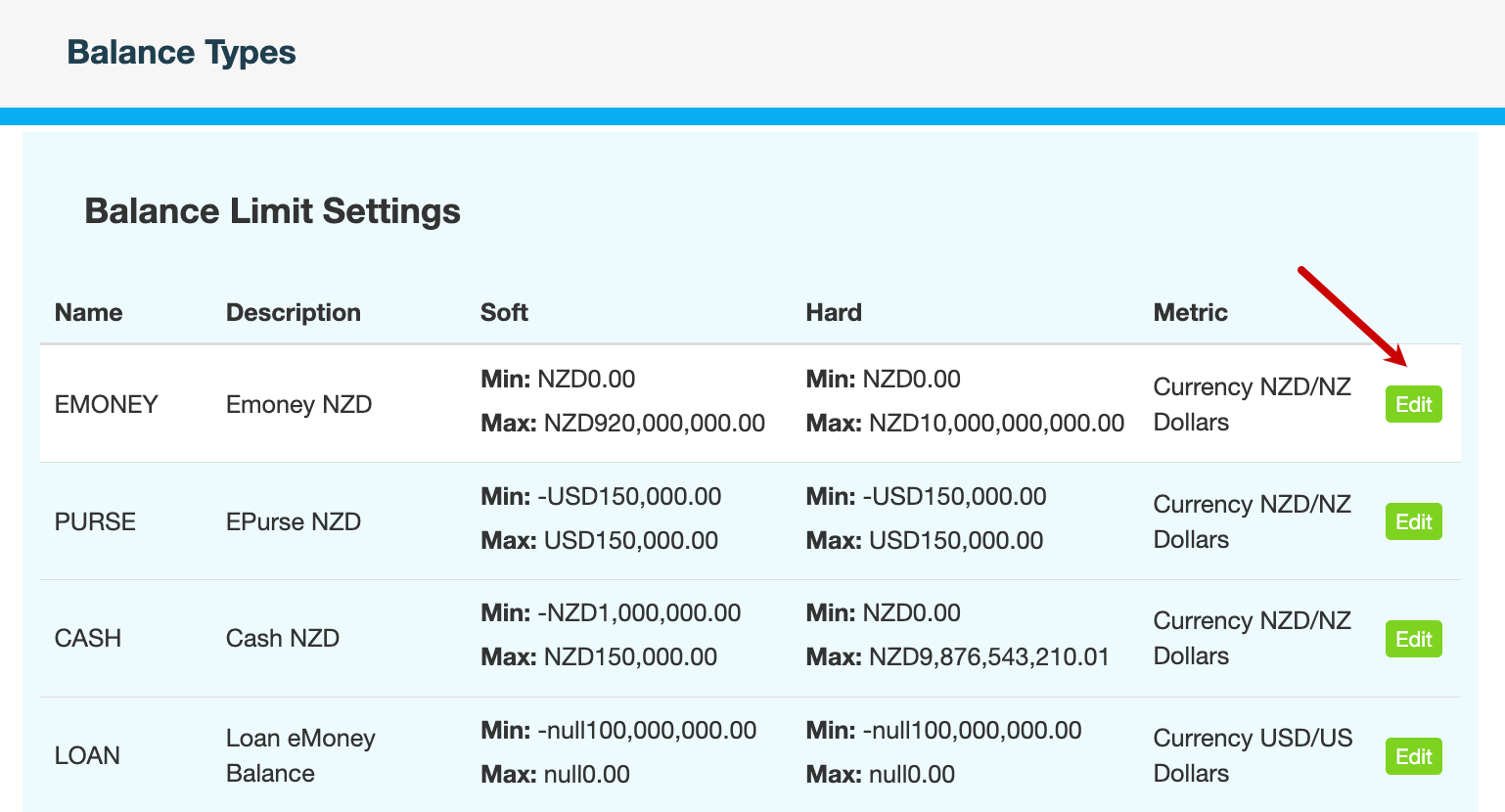
-
Specify the range within which transactions are permitted.
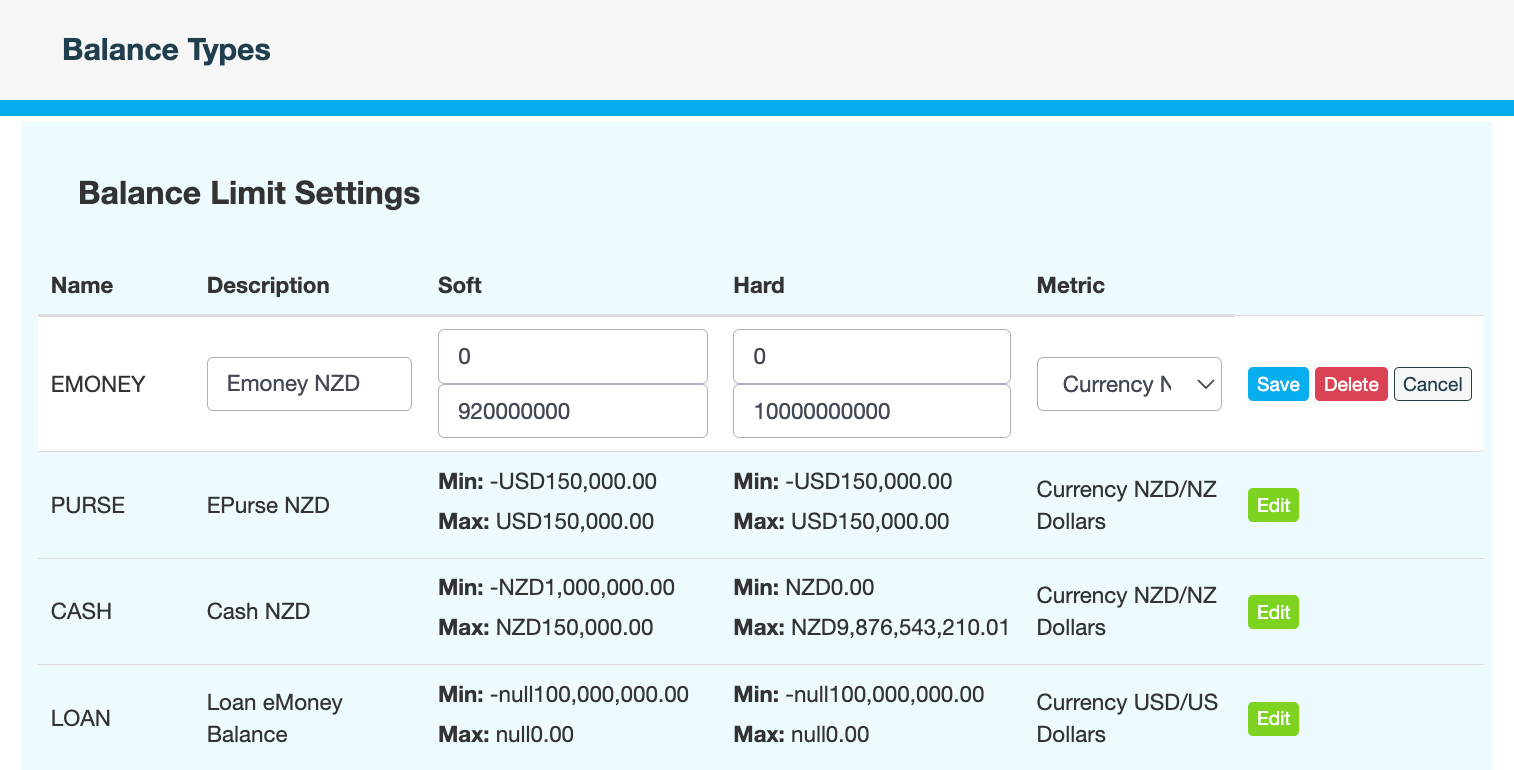
|
Field |
Description |
|---|---|
|
Description |
Description of the balance type. This field should not be changed. |
|
Soft Min |
Minimum balance for accounts of this type. |
|
Soft Max |
Maximum balance for accounts of this type. |
|
Hard Min |
Minimum balance when the account has a shortfall. Applies to overdrafts. |
|
Hard Max |
Maximum balance when the account has a surplus. Applies to overdrafts. |
|
Metric |
Unit of measurement for the balance type. For example, USD, NZD, THB. This field should not be changed. |
-
Click Save.
-
Enter a reason for changing the balance limits, then click CONFIRM.
What's next
Override balance limits (optional)